在这篇博文中,你将看到:
- 什么是 OpenAPI 规范。
- 为什么它在 AI 框架和平台的工具定义中如此流行。
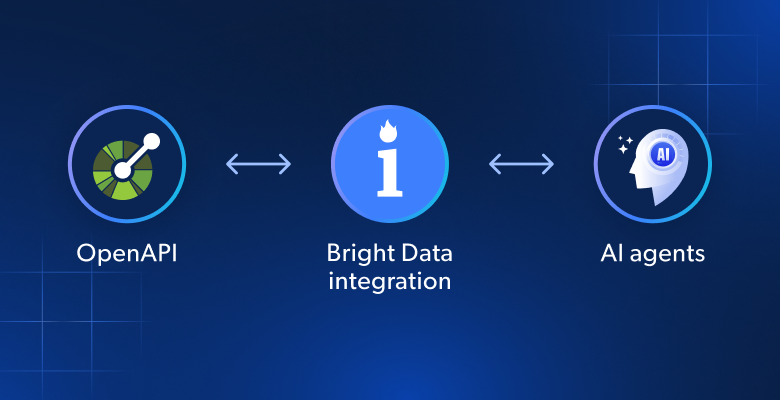
- Bright Data 如何支持 OpenAPI,以简化在 AI Agent 和工作流中的集成。
- Bright Data Web Unlocker API 的 OpenAPI 规范。
- Bright Data SERP API 的 OpenAPI 规范。
- 这些规范如何在真实 AI 平台中实际运作。
让我们开始吧!
什么是 OpenAPI 规范?
OpenAPI 规范(OAS) 是一种与语言无关的开放标准,用于描述 RESTful API。它通过结构化、机器可读的格式(通常为 YAML 或 JSON)来定义 API 的操作、参数、响应、安全方案以及其他特性。
欢迎访问该规范的 GitHub 仓库!
注意:OpenAPI 规范最初被称为 “Swagger 规范”。因此,如果你在寻找 “Bright Data Swagger 规范”,那就来对地方了!
为什么许多 AI 解决方案依赖 OpenAPI 规范来定义工具
许多 AI 框架都支持使用 OpenAPI 来定义工具。主要原因在于,OpenAPI 规范提供了一个标准化、机器可读的契约,精确描述外部 API 的行为。
这一标准化带来了三个主要优势:
- 互操作性和极低摩擦:OpenAPI 是一个广泛支持的标准。一旦你提供了规范,平台就可以自动导入 API,生成输入表单、调用逻辑和响应处理,并将其集成到自身工具体系中。
- 降低学习成本:即便是非技术用户,也可以仅通过从文档或其他来源复制 OpenAPI 规范,就能基于 API 搭建工具。无需手动接线或编码,这也是为何在低/无代码 AI 平台中,OpenAPI 支持如此普遍。
- 更易维护:有了清晰的 API 契约,更新就变得简单。当 API 演进时,只需要在工具定义中更新规范即可,大大简化了维护,并减少大规模重构的需求。
概括来说,通过 OpenAPI 定义工具,可以打开一个企业级生态的大门:CRM、数据提供方、内部 API 以及其他外部服务,都可以以最小的人力投入,在 AI Agent、流水线与工作流中被安全连接、记录和维护。
Bright Data 的 OpenAPI 规范简介
Bright Data 提供一整套用于网页数据采集、自动化网页交互、网页爬取等的产品与服务。
这些解决方案都可通过 API 使用(也支持无代码方式),这意味着在支持该能力的 AI 平台中,你可以用 OpenAPI 规范来配置它们。
本文将重点介绍两个最重要的 Bright Data 工具:
- SERP API:自动从 Google、Bing、Yandex 等搜索引擎中提取结构化数据。它会处理代理管理、CAPTCHA 解决、JavaScript 渲染等复杂任务,使你可以在不被封锁的前提下,以 JSON 或 HTML 格式获得干净的实时结果。
- Web Unlocker API:绕过复杂的反爬虫机制(如 CAPTCHA、IP 封锁与指纹识别),从任意网页中提取数据。它作为中间层,负责代理管理、模拟真实用户,并返回干净的 HTML、JSON 和 Markdown 响应。
对于每个服务,你都将看到以 YAML 和 JSON 格式给出的 OpenAPI 3.x 规范,以及在 Swagger Editor 中测试它们的示例。
从这些规范出发,你也可以用类似方式将 Web Scraper APIs 和其他 API 端点转为 OpenAPI 规范,以供 AI 集成使用。
注意:部分 Bright Data 产品共享相同的 API 端点,仅根据请求体改变行为。由于在单个 OpenAPI 文档中,无法为同一路径和方法定义两份完全独立的规范,因此需要使用独立的 OpenAPI 文档。这也是我们会为 SERP API 和 Web Unlocker API 提供两份独立 OpenAPI 规范的原因(虽然它们共享相同端点)。
Web Unlocker API OpenAPI 规范
下面是 Bright Data Web Unlocker API 的 OpenAPI 规范。
注意:如需了解所有参数、选项、认证方式等详细信息,请参阅以下文档页面:
YAML 规范
以下是 Bright Data Web Unlocker API 的 OpenAPI YAML 规范:
openapi: 3.0.4
info:
  title: Bright Data Web Unlocker API
  version: 1.0.0
  description: |
    Bright Data Unlocker API enables you to bypass anti-bot measures, manages proxies, and solves CAPTCHAs automatically for easier web data collection.
    [Web Unlocker API documentation](https://docs.brightdata.com/scraping-automation/web-unlocker/introduction)
  contact:
    name: Bright Data
    url:
servers:
  - url: https://api.brightdata.com
tags:
  - name: Web Unlocker
    description: Operations for interacting with the Bright Data Web Unlocker API.
components:
  securitySchemes:
    BearerAuth:
      type: http
      scheme: bearer
      bearerFormat: BRIGHT_DATA_API_KEY
paths:
  /request:
    post:
      operationId: sendWebUnlockerRequest
      summary: Send a Web Unlocker API request
      description: |
        Submit a Web Unlocker API request using your Bright Data Web Unlocker API zone.

        [Web Unlocker API `/request` documentation](https://docs.brightdata.com/api-reference/rest-api/unlocker/unlock-website)
      tags:
        - Web Unlocker
      security:
        - BearerAuth: []
      requestBody:
        required: true
        content:
          application/json:
            schema:
              type: object
              required:
                - zone
                - url
                - format
              properties:
                zone:
                  type: string
                  description: Your Web Unlocker zone name.
                url:
                  type: string
                  description: The target website URL to unlock and fetch.
                  example: https://example.com/products
                format:
                  type: string
                  description: |
                    Response format.
                    Allowed values:
                    - `raw`: Returns the response immediately in the body.
                    - `json`: Returns the response as a structured JSON object.
                  default: raw
                method:
                  type: string
                  description: HTTP method used when fetching the target URL.
                  example: GET
                country:
                  type: string
                  description: |
                    Country code for proxy location (ISO 3166-1 alpha-2 format).
                  example: us
                data_format:
                  type: string
                  description: |
                    Format of the scraped output data.
                    Allowed values:
                    - `markdown`: Page content converted to Markdown.
                    - `screenshot`: To capture a PNG image of the rendered page.
                  enum:
                    - markdown
                    - screenshot
      responses:
        "200":
          description: Successful response containing search results.
        "400":
          description: Invalid request (missing required fields or invalid parameters).
        "401":
description: Unauthorized (invalid or missing Bright Data API key).注意:securitySchemes 部分定义了使用HTTP Bearer 认证的安全方案。具体来说,客户端在调用 API 时,必须在 Authorization 请求头中以 Bearer Token 形式发送 BRIGHT_DATA_API_KEY。
与此同时,大多数 AI 平台已经内置了认证方式,可能会忽略该规范字段。但在 OpenAPI 规范中保留它,依旧有助于文档清晰和查阅。
JSON 规范
下面是 Web Unlocker API 的 JSON OpenAPI 规范:
{
  "openapi": "3.0.4",
  "info": {
    "title": "Bright Data Web Unlocker API",
    "version": "1.0.0",
    "description": "Bright Data Unlocker API enables you to bypass anti-bot measures, manages proxies, and solves CAPTCHAs automatically for easier web data collection.\n\n[Web Unlocker API documentation](https://docs.brightdata.com/scraping-automation/web-unlocker/introduction)\n",
    "contact": {
      "name": "Bright Data",
      "url": ""
    }
  },
  "servers": [
    {
      "url": "https://api.brightdata.com"
    }
  ],
  "tags": [
    {
      "name": "Web Unlocker",
      "description": "Operations for interacting with the Bright Data Web Unlocker API."
    }
  ],
  "components": {
    "securitySchemes": {
      "BearerAuth": {
        "type": "http",
        "scheme": "bearer",
        "bearerFormat": "BRIGHT_DATA_API_KEY"
      }
    }
  },
  "paths": {
    "/request": {
      "post": {
        "operationId": "sendWebUnlockerRequest",
        "summary": "Send a Web Unlocker API request",
        "description": "Submit a Web Unlocker API request using your Bright Data Web Unlocker API zone.  \n\n[Web Unlocker API `/request` documentation](https://docs.brightdata.com/api-reference/rest-api/unlocker/unlock-website)\n",
        "tags": [
          "Web Unlocker"
        ],
        "security": [
          {
            "BearerAuth": []
          }
        ],
        "requestBody": {
          "required": true,
          "content": {
            "application/json": {
              "schema": {
                "type": "object",
                "required": [
                  "zone",
                  "url",
                  "format"
                ],
                "properties": {
                  "zone": {
                    "type": "string",
                    "description": "Your Web Unlocker zone name."
                  },
                  "url": {
                    "type": "string",
                    "description": "The target website URL to unlock and fetch.",
                    "example": "https://example.com/products"
                  },
                  "format": {
                    "type": "string",
                    "description": "Response format.  \nAllowed values:  \n- `raw`: Returns the response immediately in the body.  \n- `json`: Returns the response as a structured JSON object.  \n",
                    "default": "raw"
                  },
                  "method": {
                    "type": "string",
                    "description": "HTTP method used when fetching the target URL.",
                    "example": "GET"
                  },
                  "country": {
                    "type": "string",
                    "description": "Country code for proxy location (ISO 3166-1 alpha-2 format). \n",
                    "example": "us"
                  },
                  "data_format": {
                    "type": "string",
                    "description": "Format of the scraped output data.  \nAllowed values:\n- `markdown`: Page content converted to Markdown.\n- `screenshot`: To capture a PNG image of the rendered page.\n",
                    "enum": [
                      "markdown",
                      "screenshot"
                    ]
                  }
                }
              }
            }
          }
        },
        "responses": {
          "200": {
            "description": "Successful response containing search results."
          },
          "400": {
            "description": "Invalid request (missing required fields or invalid parameters)."
          },
          "401": {
            "description": "Unauthorized (invalid or missing Bright Data API key)."
          }
        }
      }
    }
  }
}
在 Swagger Editor 中测试
你可以将上述 OpenAPI 规范粘贴到 Swagger Editor 中进行测试: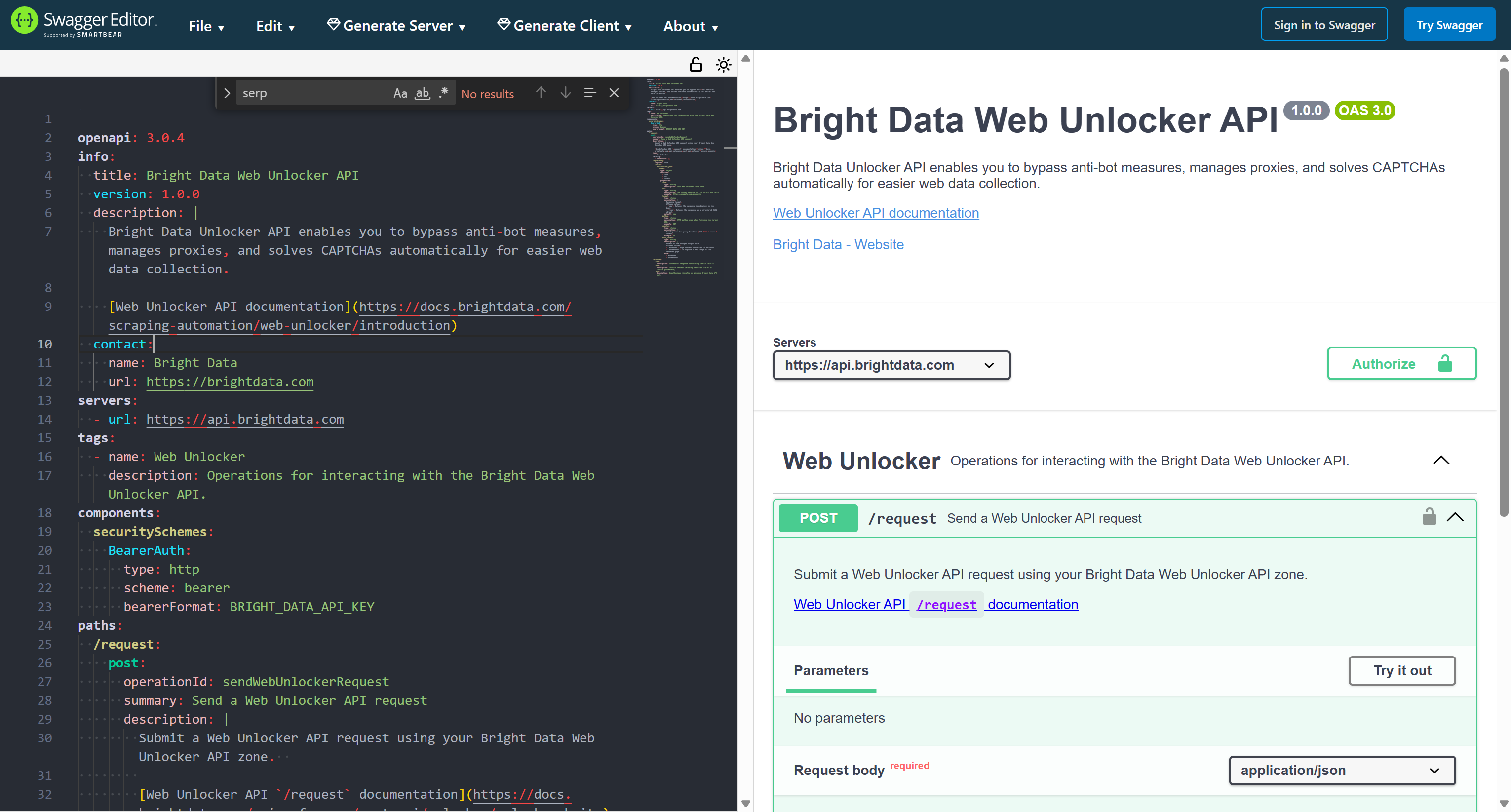
SERP API OpenAPI 规范
下面来看看 Bright Data SERP API 的 OpenAPI 规范。
注意:若需了解更多参数、选项、认证方式等信息,请参阅以下文档页面:
YAML 规范
以下是 SERP API 的 OpenAPI YAML 规范:
openapi: 3.0.4
info:
  title: Bright Data SERP API
  version: 1.0.0
  description: |
    Extract search engine results using Bright Data SERP API. Extract structured data from major search engines including Google, Bing, Yandex, DuckDuckGo, and more.
    Get organic results, paid ads, local listings, shopping results, and other SERP features.
    [SERP API documentation](https://docs.brightdata.com/scraping-automation/serp-api/introduction)
  contact:
    name: Bright Data
    url:
servers:
  - url: https://api.brightdata.com
tags:
  - name: SERP
    description: Operations related to the Bright Data SERP API.
components:
  securitySchemes:
    BearerAuth:
      type: http
      scheme: bearer
      bearerFormat: BRIGHT_DATA_API_KEY
paths:
  /request:
    post:
      operationId: sendSerpRequest
      summary: Send a SERP API request
      description: |
        Submit a SERP API request using your Bright Data SERP API zone.

        [SERP API `/request` documentation](https://docs.brightdata.com/api-reference/rest-api/serp/scrape-serp)
      tags:
        - SERP
      security:
        - BearerAuth: []
      requestBody:
        required: true
        content:
          application/json:
            schema:
              type: object
              required:
                - zone
                - url
                - format
              properties:
                zone:
                  type: string
                  description: The name of your SERP API zone.
                url:
                  type: string
                  description: The search engine URL to query (e.g., `https://www.google.com/search?q=<search_query>`).
                  example: https://www.google.com/search?q=pizza&hl=en&gl=us
                format:
                  type: string
                  description: |
                    Response format.
                    Allowed values:
                    - `raw`: Returns the response immediately in the body.
                    - `json`: Returns the response as a structured JSON object.
                  default: raw
                  enum:
                    - raw
                    - json
                country:
                  type: string
                  description: |
                    Country code for proxy location (ISO 3166-1 alpha-2 format).
                  example: us
                data_format:
                  type: string
                  description: |
                    Format of the SERP output data.
                    Allowed values:
                    - `json`: Fully parsed JSON data with structured SERP results including organic, paid, local, shopping, and feature snippets.
                    - `markdown`: SERP content converted to Markdown.
                  enum:
                    - json
                    - markdown
      responses:
        "200":
          description: Successful response containing search results.
        "400":
          description: Invalid request (missing required fields or invalid parameters).
        "401":
          description: Unauthorized (invalid or missing Bright Data API key).
JSON 规范
下面是 SERP API 的 JSON OpenAPI 规范:
{
  "openapi": "3.0.4",
  "info": {
    "title": "Bright Data SERP API",
    "version": "1.0.0",
    "description": "Extract search engine results using Bright Data SERP API. Extract structured data from major search engines including Google, Bing, Yandex, DuckDuckGo, and more.  \nGet organic results, paid ads, local listings, shopping results, and other SERP features.\n[SERP API documentation](https://docs.brightdata.com/scraping-automation/serp-api/introduction)\n",
    "contact": {
      "name": "Bright Data",
      "url": ""
    }
  },
  "servers": [
    {
      "url": "https://api.brightdata.com"
    }
  ],
  "tags": [
    {
      "name": "SERP",
      "description": "Operations related to the Bright Data SERP API."
    }
  ],
  "components": {
    "securitySchemes": {
      "BearerAuth": {
        "type": "http",
        "scheme": "bearer",
        "bearerFormat": "BRIGHT_DATA_API_KEY"
      }
    }
  },
  "paths": {
    "/request": {
      "post": {
        "operationId": "sendSerpRequest",
        "summary": "Send a SERP API request",
        "description": "Submit a SERP API request using your Bright Data SERP API zone.  \n\n[SERP API `/request` documentation](https://docs.brightdata.com/api-reference/rest-api/serp/scrape-serp)\n",
        "tags": [
          "SERP"
        ],
        "security": [
          {
            "BearerAuth": []
          }
        ],
        "requestBody": {
          "required": true,
          "content": {
            "application/json": {
              "schema": {
                "type": "object",
                "required": [
                  "zone",
                  "url",
                  "format"
                ],
                "properties": {
                  "zone": {
                    "type": "string",
                    "description": "The name of your SERP API zone."
                  },
                  "url": {
                    "type": "string",
                    "description": "The search engine URL to query (e.g., `https://www.google.com/search?q=<search_query>`).",
                    "example": "https://www.google.com/search?q=pizza&hl=en&gl=us"
                  },
                  "format": {
                    "type": "string",
                    "description": "Response format.  \nAllowed values:  \n- `raw`: Returns the response immediately in the body.  \n- `json`: Returns the response as a structured JSON object.  \n",
                    "default": "raw",
                    "enum": [
                      "raw",
                      "json"
                    ]
                  },
                  "country": {
                    "type": "string",
                    "description": "Country code for proxy location (ISO 3166-1 alpha-2 format). \n",
                    "example": "us"
                  },
                  "data_format": {
                    "type": "string",
                    "description": "Format of the SERP output data.  \nAllowed values:\n- `json`: Fully parsed JSON data with structured SERP results including organic, paid, local, shopping, and feature snippets.\n- `markdown`: SERP content converted to Markdown.  \n",
                    "enum": [
                      "json",
                      "markdown"
                    ]
                  }
                }
              }
            }
          }
        },
        "responses": {
          "200": {
            "description": "Successful response containing search results."
          },
          "400": {
            "description": "Invalid request (missing required fields or invalid parameters)."
          },
          "401": {
            "description": "Unauthorized (invalid or missing Bright Data API key)."
          }
        }
      }
    }
  }
}
在 Swagger Editor 中测试
要测试该规范,可将其粘贴到在线 Swagger Editor 中: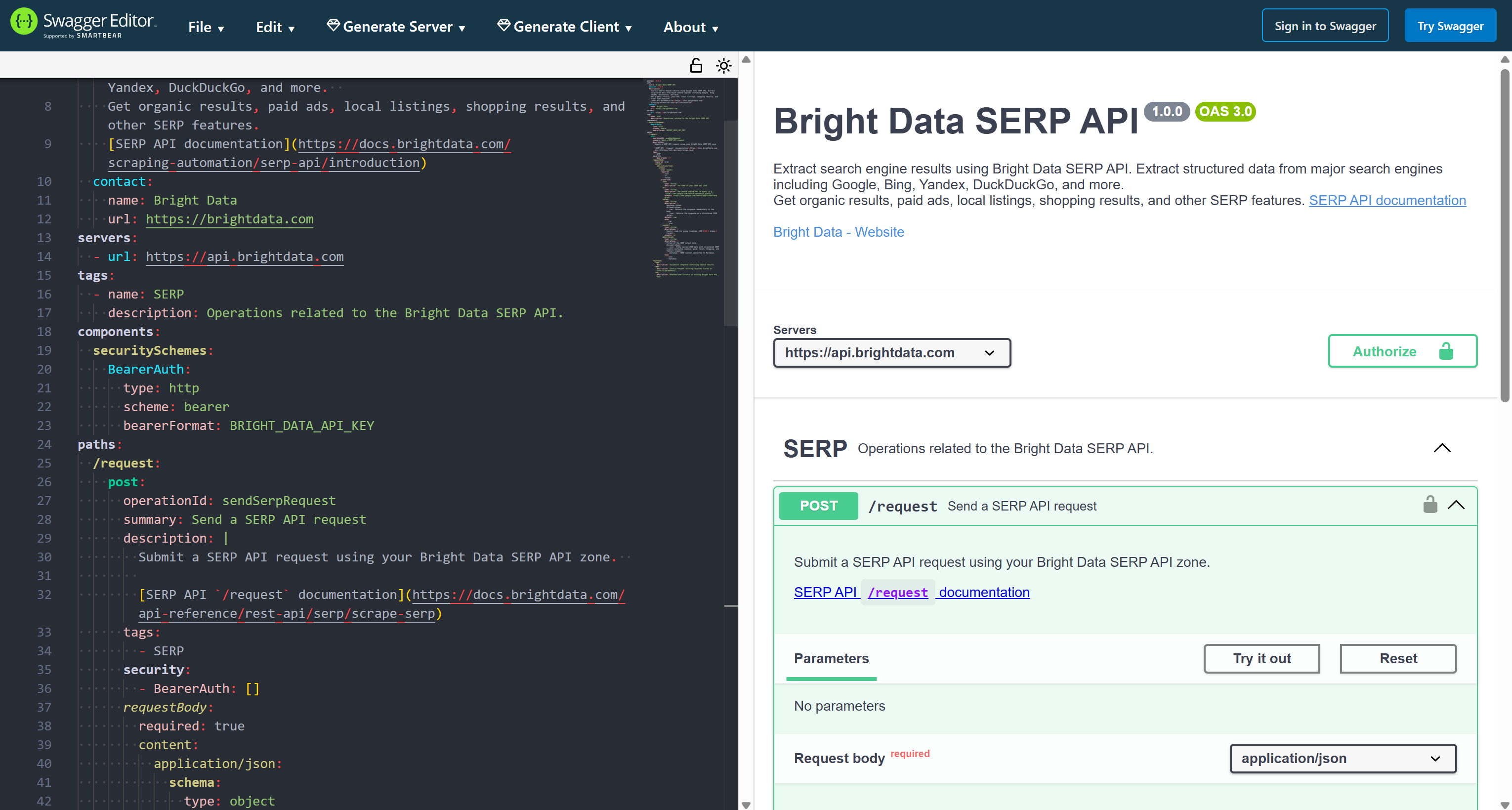
在 Dify 中测试 Bright Data OpenAPI 规范作为工具集成
为了验证上述用于连接 Bright Data 服务的 OpenAPI 规范(通过 API)是否工作正常,我们将在 Dify 中进行测试。
具体来说,我们将测试 Bright Data SERP API 的 OpenAPI 规范,但你可以很容易地将本节步骤应用到 Web Unlocker API 的 OpenAPI 规范上。
Dify 是一个开源、低代码的开发平台,用于简化 AI 应用的构建、部署与管理。其众多功能之一,就是允许你使用 OpenAPI 规范定义自定义工具。
这一能力并非 Dify 独有。恰恰相反,许多其他AI Agent 构建平台,特别是低/无代码或面向企业的解决方案,也都支持通过 OpenAPI 规范来集成工具。
你可以在以下指南中探索更多基于 OpenAPI 规范的 Bright Data 集成方式:
- 在 Microsoft Copilot Studio 中将 Bright Data SERP API 集成到 AI Agent 中
- 在 IBM watsonx 中将 Bright Data SERP API 集成到 AI Agent 中
现在,让我们在 Dify 中测试 Bright Data 的 OpenAPI 规范!
前置条件
要跟随本教程,你需要:
- 一个已配置 API Key 和 SERP API Zone 的Bright Data 账户。
- 一个用于使用云版本的 Dify Cloud 账户,或在本机运行的 本地 Dify 实例。
请按照官方指南生成 Bright Data API Key。请妥善保管该密钥,我们稍后将用它来对 SERP API 工具请求进行认证。
接下来,按照 Bright Data 文档中的指引,在你的账户中创建一个 SERP API Zone: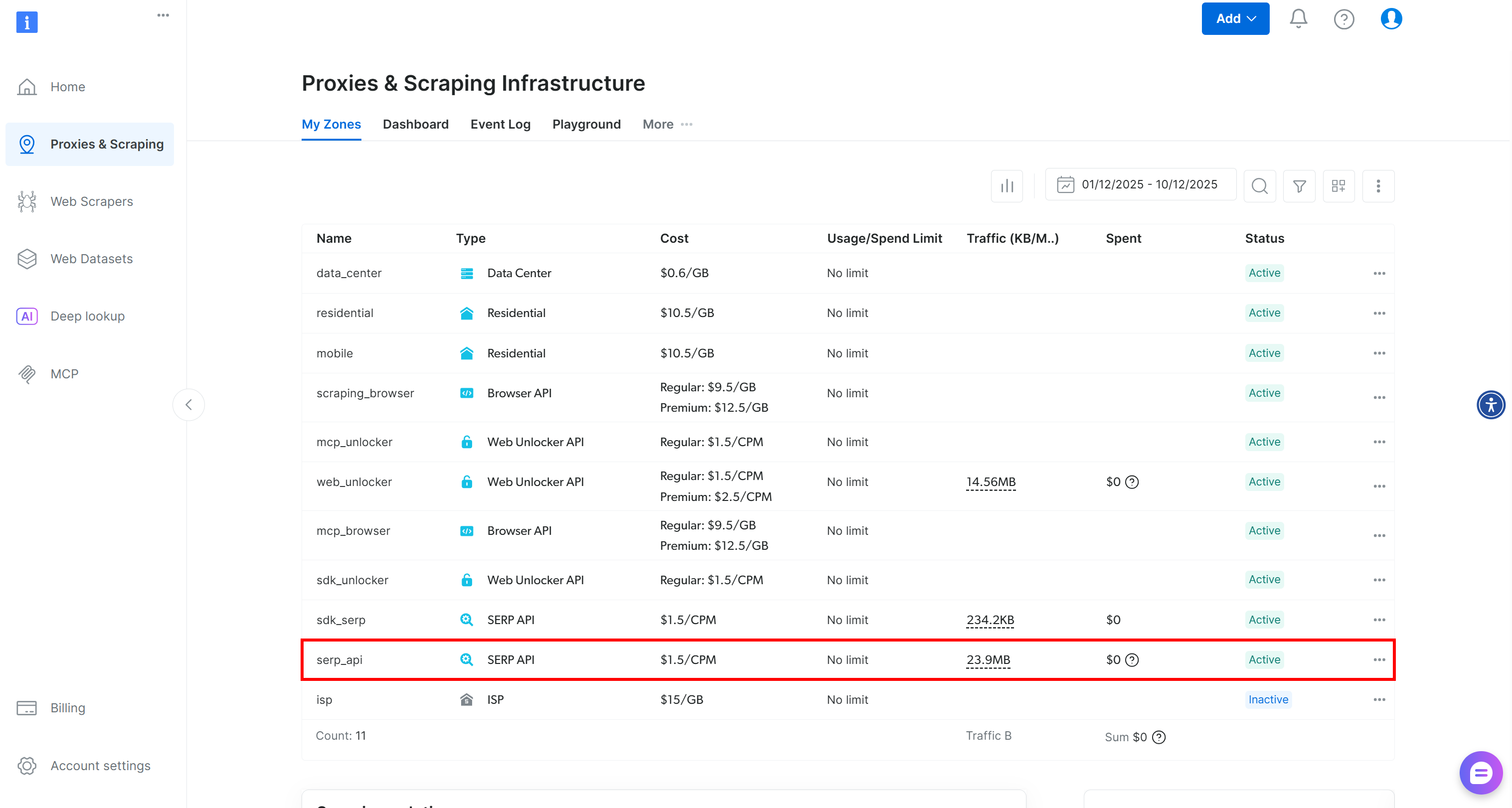
从现在开始,我们假设你的 SERP API Zone 名为 serp_api。在后续示例中,请将 Zone 名称替换为你自己的。
步骤一:创建一个新的自定义工具
登录你的 Dify Cloud 账户或启动本地实例。要创建一个新的自定义工具,请先在顶部菜单中选择 “Tools”: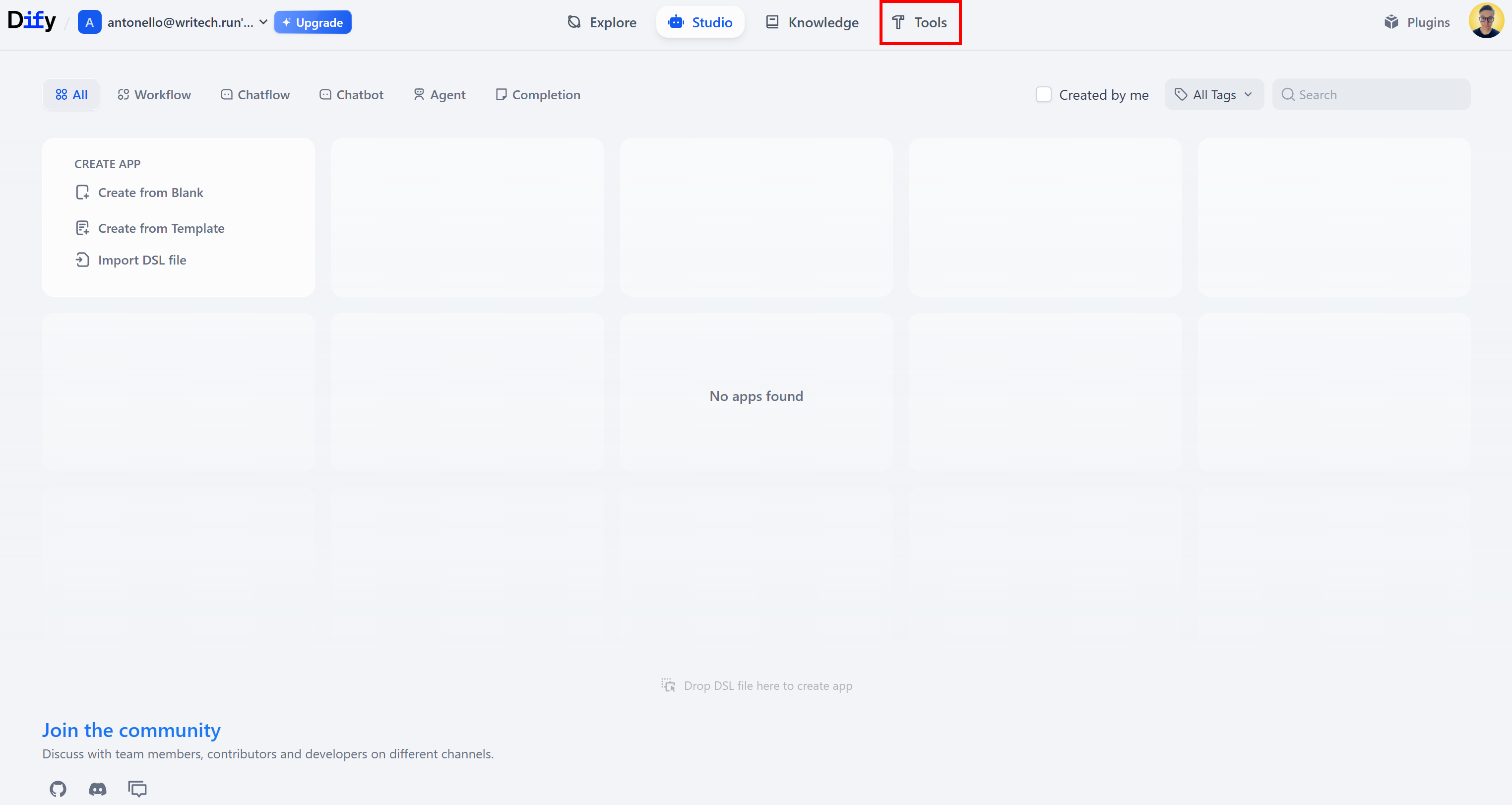
在 “Tools” 页面中,切换到 “Custom” 标签页: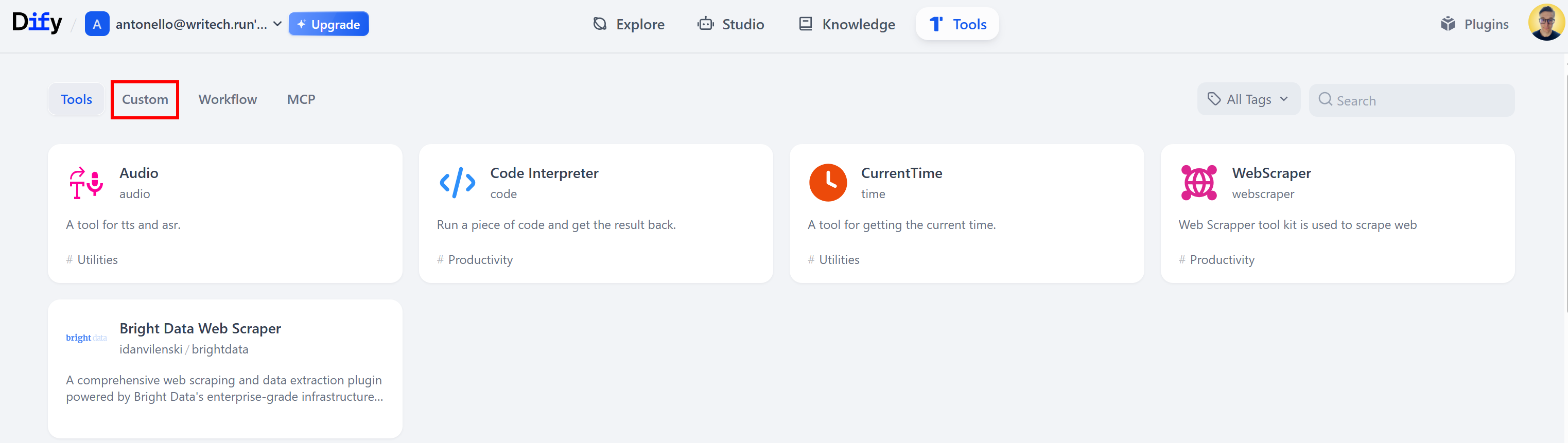
在 “Custom” 标签页中,点击 “Create Custom Tool” 卡片:
此时会弹出 “Create Custom Tool” 对话框: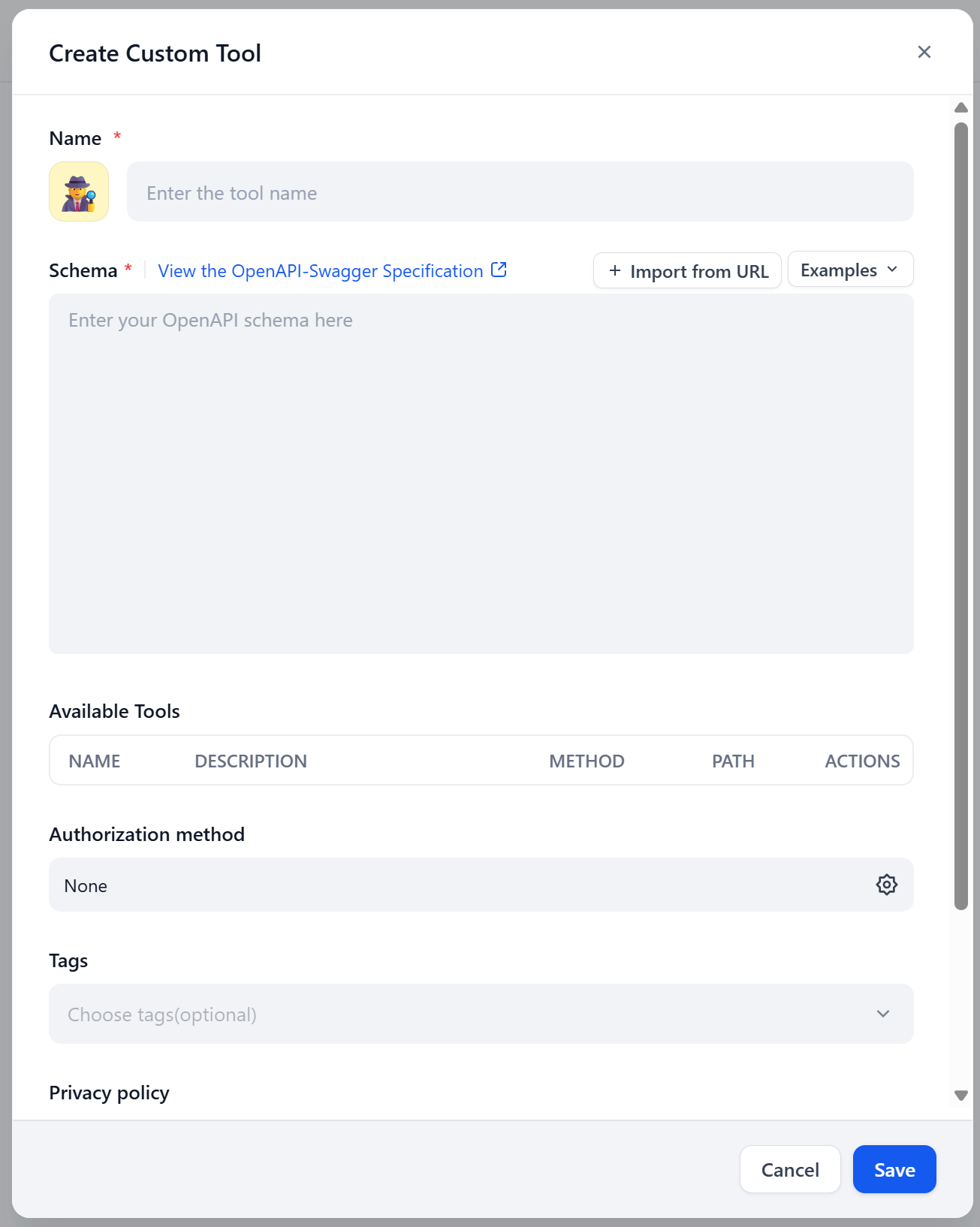
很好!接下来你将在这里粘贴 Bright Data SERP API 的 OpenAPI 规范。
步骤二:使用 OpenAPI 规范定义 SERP API 工具
在 “Create Custom Tool” 对话框中,为工具命名,例如 “SERP API”。在 “Schema” 字段中,粘贴 Bright Data SERP API 的 YAML OpenAPI 规范。
你应当会看到类似如下的界面: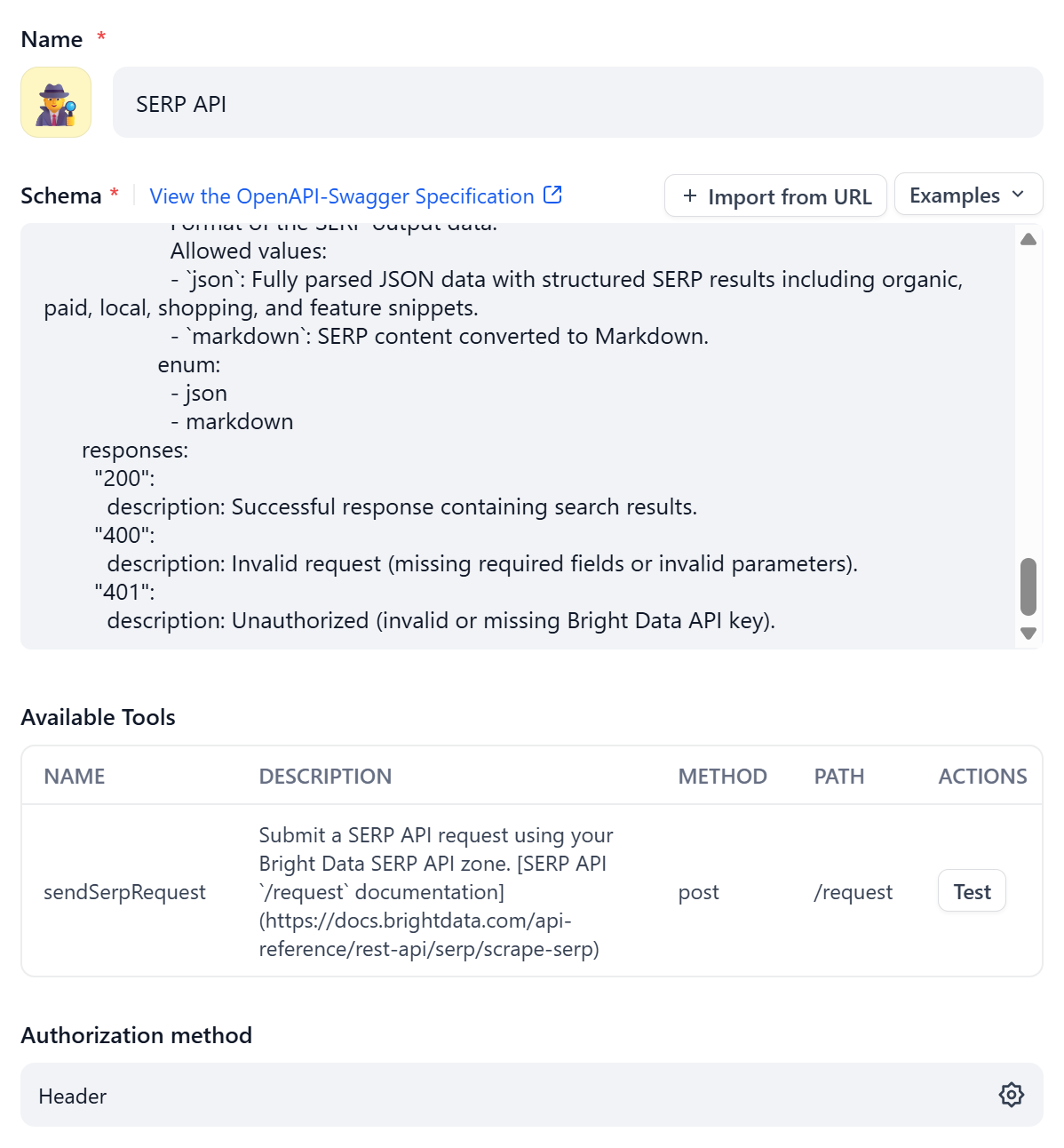
可以注意到,“Available Tools” 区域已经根据 OpenAPI 规范中的定义自动填充。
正如前文所提到的,多数平台要求你通过内置方式配置认证。在本例中,点击 “Authentication Method” 区域中的齿轮图标来配置认证方式:
按以下方式配置认证:
- Auth Type:选择 “Header”
- Type:选择 “Bearer”
- Key:填入 “Authorization”
- Value:粘贴你的 Bright Data API Key
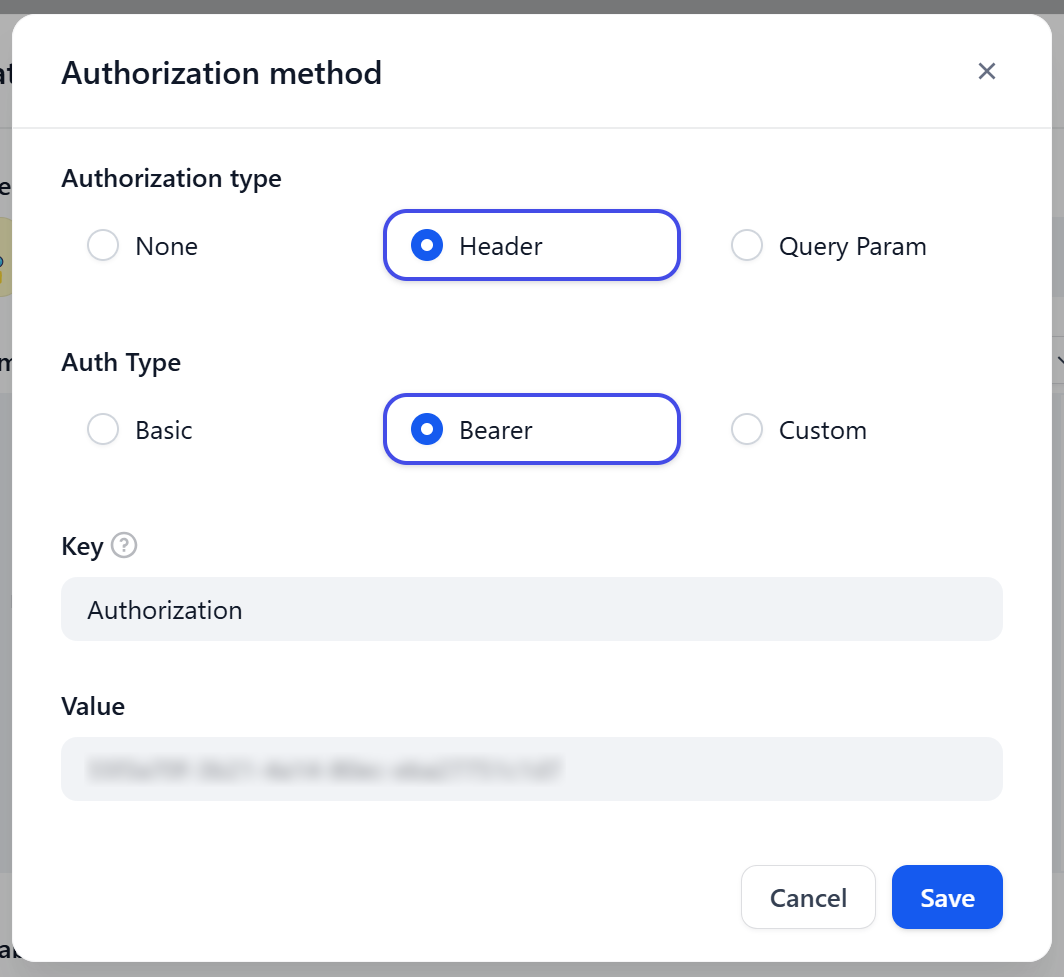
这会通过 Authorization 请求头来设置认证,其发送格式为:
Bearer <YOUR_BRIGHT_DATA_API_KEY>很好!SERP API 工具现已正确定义并完成配置。
步骤三:测试该工具
在 “Available Tools” 区域中,找到为 /request 端点配置的那一行,然后点击 “Test” 按钮:
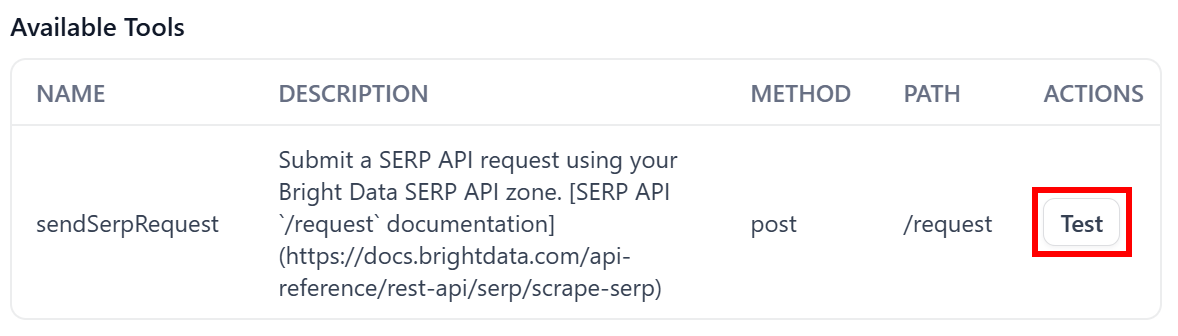
这会打开 “Test sendSerpRequest” 对话框,你可以在其中自定义参数和值,以验证该工具是否工作正常。
例如,先测试一个返回 JSON 格式的基础响应。预期结果是一个结构化的 JSON 响应,其中包含从 Google 抓取到的 SERP 页面 HTML(这是 SERP API 的默认数据格式):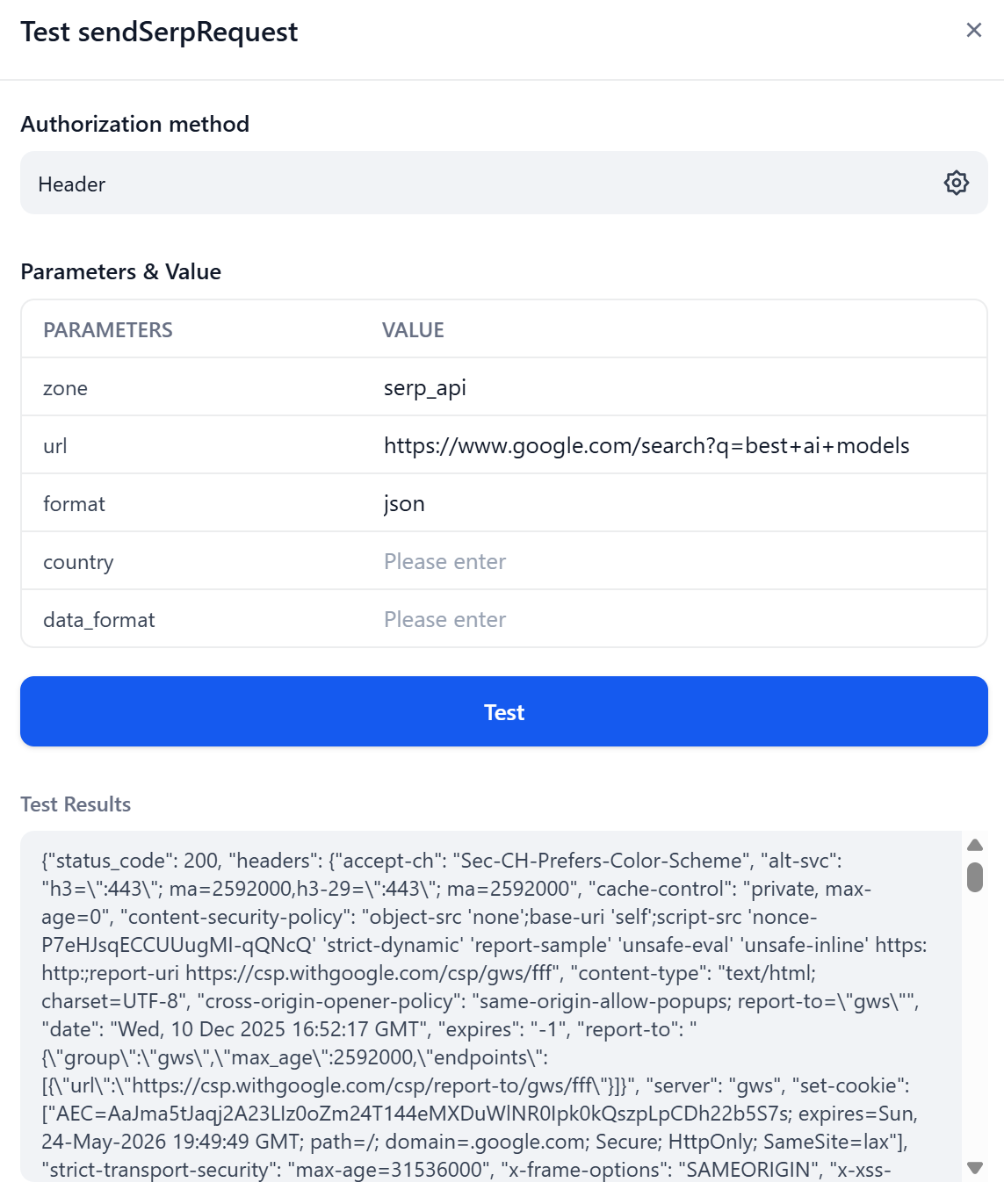
向下滚动到 “Test Results” 区域即可查看 API 响应。你会看到 JSON 中的 body 字段包含了 SERP 页面的 HTML,正如预期: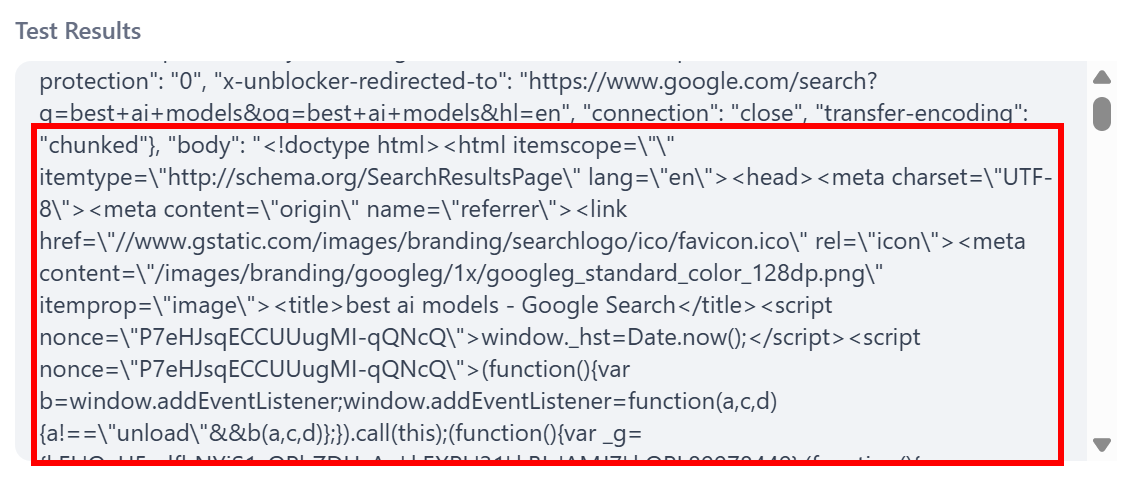
非常好!该结果符合预期。
接下来,尝试直接在响应体中获取同一页面的 Markdown 版本: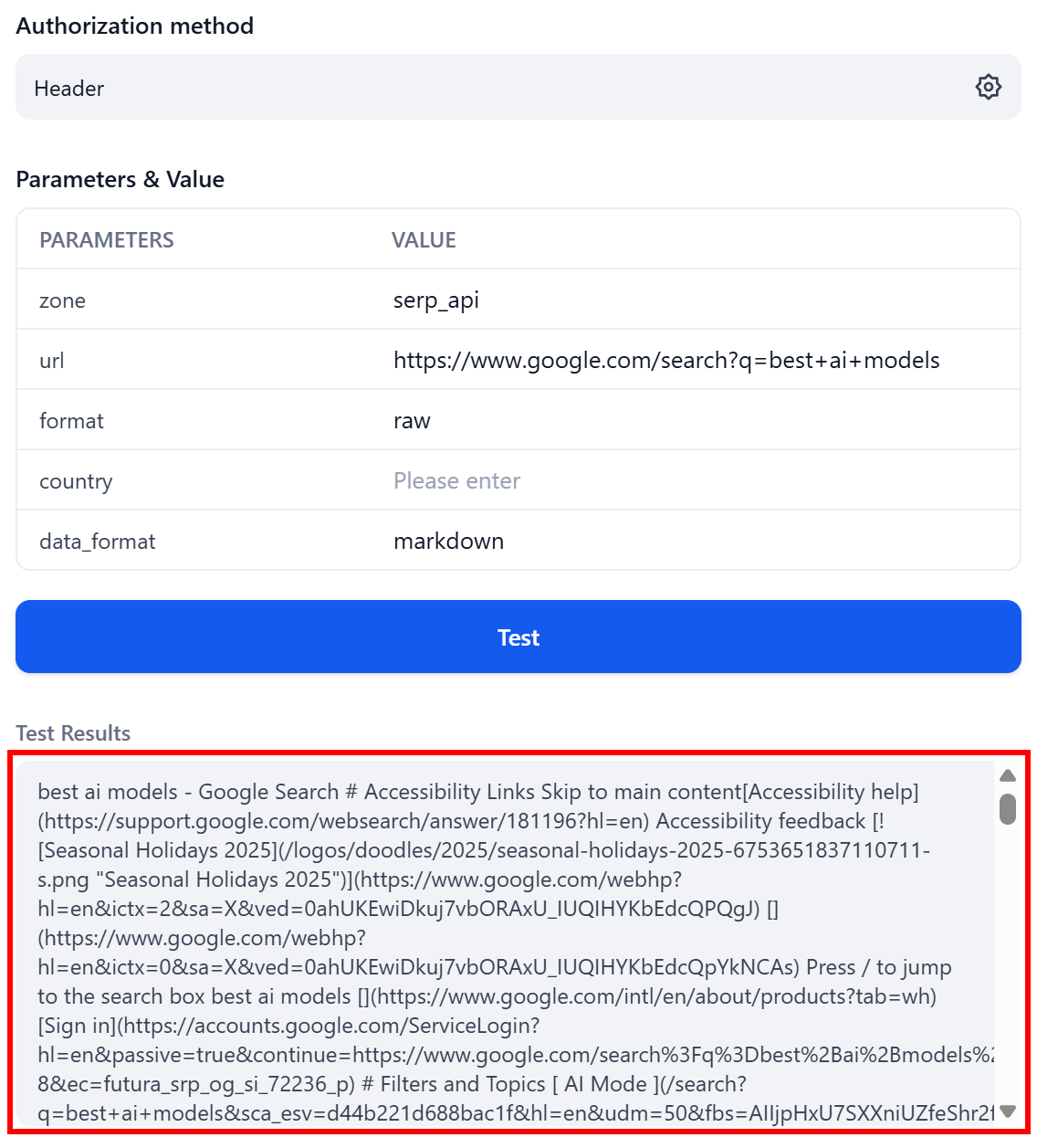
请注意,这一次响应是纯文本(因为 format: raw),其内容为 Markdown 格式的 SERP 数据(因为 data_format: markdown)——可以直接供 LLM 使用。
既然你已经确认该工具可以正常工作(即成功调用了底层 API),便可以将它集成到任意 Dify 工作流或 AI Agent 中。
就这样!通过 OpenAPI 规范定义的 Bright Data 工具已经完美运行。
总结
在本文中,你了解了为什么 AI 平台和库支持使用 OpenAPI 规范来定义工具,以及 Bright Data 是如何支持这一选项的。尤其是,你看到了 Bright Data Web Unlocker 和 SERP API 解决方案的 OpenAPI 规范。
通过集成这两个工具,你可以构建复杂的 AI Agent,用于执行网页搜索并获取 web 数据,进而用于 RAG、深度研究以及许多其他任务。充分利用 Bright Data 面向 AI 的全套 Web Data API 服务,释放你的 Agent 的全部潜能!
立即免费创建 Bright Data 账户,开始集成我们的 API,为你的应用获取高质量 Web 数据!



技术写作
 5.5 years experience
Antonello是一名软件工程师,但他更喜欢称自己为技术传教士。通过写作传播知识是他的使命。