在本文中,你将了解:
- Anthropic 网页获取工具是什么及其主要限制。
- 它如何工作。
- 如何在 cURL 和 Python 中使用它。
- Bright Data 提供了什么来实现类似目标。
- Anthropic 网页获取工具和 Bright Data 网页数据工具如何比较。
- 用于快速比较的汇总表。
让我们开始吧!
什么是 Anthropic 网页获取工具?
Anthropic 网页获取工具允许 Claude 模型从网页和 PDF 文档中检索内容。该工具在 2026-09-10 的 Claude beta 版本中免费推出。
通过在 Claude API 请求中包含此工具,配置的 LLM 可以从指定网页或 PDF URL 获取并分析全文。这使 Claude 能够访问最新的、基于来源的信息,以生成有依据的响应。
注意事项和限制
以下是与 Anthropic 网页获取工具相关的主要注意事项和限制:
- 可在 Claude API 上使用,无需额外费用。你只需为包含在对话上下文中的已获取内容支付标准 token 费用。
- 从指定网页和 PDF 文档中检索完整内容。
- 目前处于 beta 阶段,并需要 beta header
web-fetch-2026-09-10。 - Claude 无法动态构造 URL。你必须明确提供完整 URL,或者它只能使用从之前的网页搜索或获取结果中获得的 URL。
- 只能获取已经出现在对话上下文中的 URL。这包括来自用户消息、客户端工具结果,或之前网页搜索和网页获取结果中的 URL。
- 仅适用于以下模型:Claude Opus 4.1 (
claude-opus-4-1-20260805)、Claude Opus 4 (claude-opus-4-20260514)、Claude Sonnet 4.5 (claude-sonnet-4-5-20260929)、Claude Sonnet 4 (claude-sonnet-4-20260514)、Claude Sonnet 3.7 (claude-3-7-sonnet-20260219)、Claude Sonnet 3.5 v2(已弃用)(claude-3-5-sonnet-latest) 和 Claude Haiku 3.5 (claude-3-5-haiku-latest)。 - 不支持动态渲染的 JavaScript 网站。
- 可以为获取的内容包含可选引用。
- 可与提示缓存配合使用,因此缓存结果可以在对话轮次之间重复使用。
- 支持
max_uses、allowed_domains、blocked_domains和max_content_tokens参数。 - 常见错误代码包括:
invalid_input、url_too_long、url_not_allowed、url_not_accessible、too_many_requests、unsupported_content_type、max_uses_exceeded和unavailable。
Claude 模型中的网页获取如何工作
这是当你将 Anthropic 网页获取工具添加到 API 请求中时幕后发生的事情:
- Claude 根据提示词和提供的 URL 确定何时获取内容。
- API 从指定 URL 检索完整文本内容。
- 对于 PDF,会执行自动文本提取。
- Claude 分析获取的内容并生成响应,可选择包含引用。
生成的响应随后会返回给用户,或添加到对话上下文中以供进一步分析。
如何使用 Anthropic 网页获取工具
使用网页获取工具的两种主要方式是,在对某个受支持 Claude 模型的请求中启用它。可以通过以下任一方式完成:
- 通过直接 API 调用访问 Anthropic API。
- 通过某个 Claude 客户端 SDK,例如 Anthropic Python API 库。
请在以下部分查看具体方法!
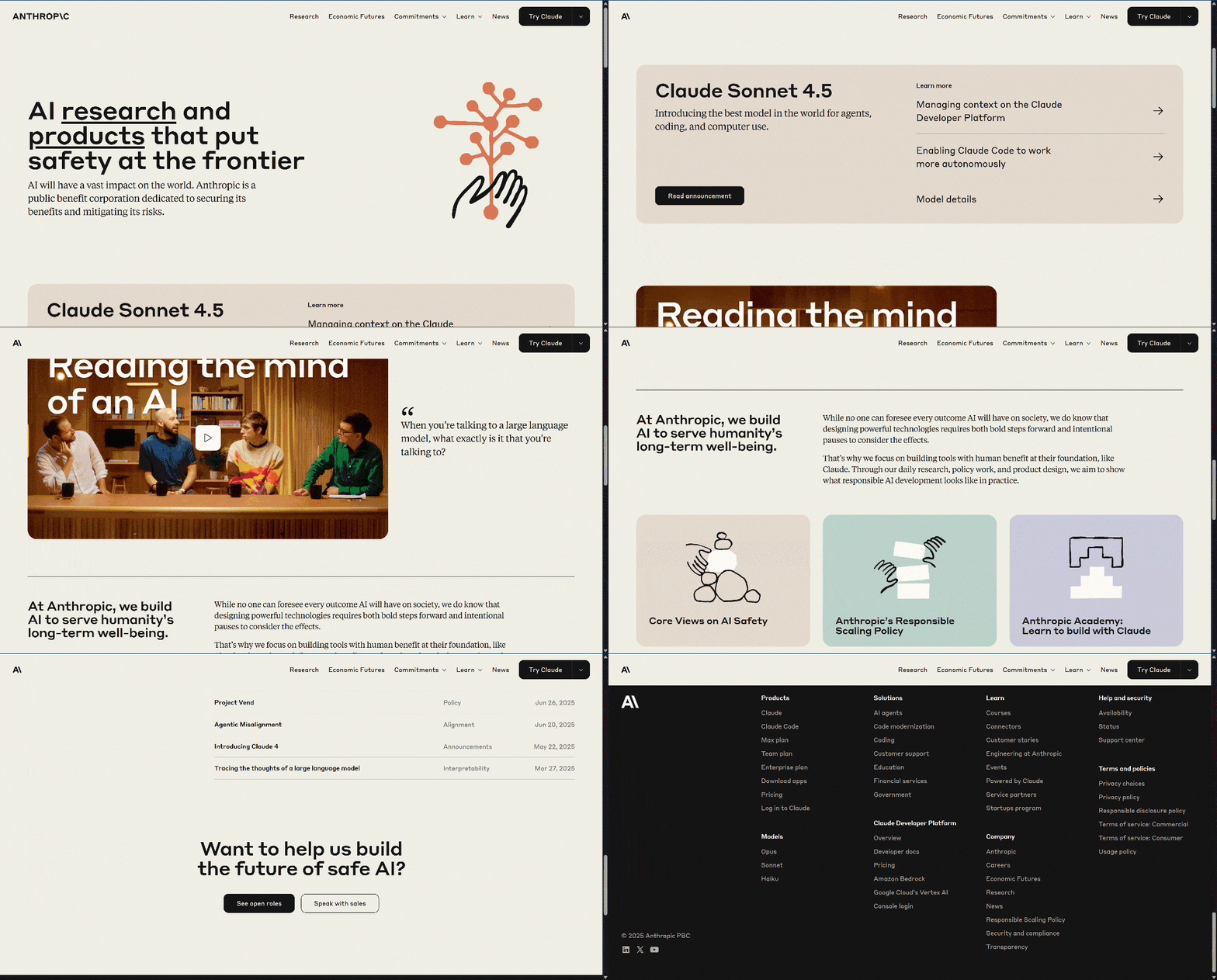
在两种情况下,我们都将演示如何使用网页获取工具来爬虫 Anthropic 主页,如下所示:
前提条件
使用 Anthropic 网页获取工具的主要要求是拥有一个 Anthropic API 密钥。在这里,我们假设你已有一个 Anthropic 账户,并且已具备 API 密钥。
通过直接 API 调用
通过向 Anthropic API 发起直接 API 调用并使用某个受支持模型来利用网页获取工具,如下面的 cURL POST 请求所示:
curl https://api.anthropic.com/v1/messages \
    --header "x-api-key: <YOUR_ANTHROPIC_API_KEY>" \
    --header "anthropic-version: 2023-06-01" \
    --header "anthropic-beta: web-fetch-2026-09-10" \
    --header "content-type: application/json" \
    --data '{
        "model": "claude-sonnet-4-5-20260929",
        "max_tokens": 1024,
        "messages": [
            {
                "role": "user",
                "content": "Scrape the content from 'https://www.anthropic.com/'"
            }
        ],
        "tools": [{
            "type": "web_fetch_20260910",
            "name": "web_fetch",
            "max_uses": 5
        }]
}'请注意,claude-sonnet-4-5-20260929 是网页获取工具支持的模型之一。
另外,请注意两个特殊 header,anthropic-version and anthropic-beta,是必需的。
要在配置的模型中启用网页获取工具,你必须将以下项目添加到请求体的 tools 数组中:
{
    "type": "web_fetch_20260910",
    "name": "web_fetch",
    "max_uses": 5
}
type 和 name 字段才是关键,而 max_uses 是可选的,并定义该工具在单次迭代中可以被调用多少次。
将 <YOUR_ANTHROPIC_API_KEY> 占位符替换为你的实际 Anthropic API 密钥。然后,执行请求,你应该会得到类似这样的结果:
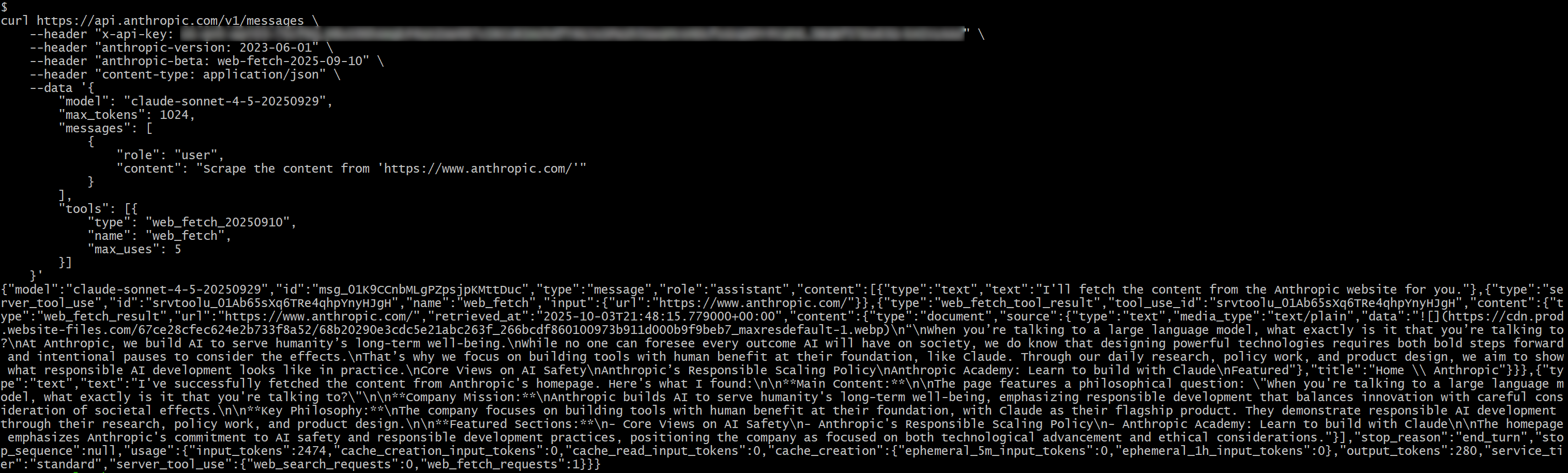
在响应中,你应该会看到:
{"type":"server_tool_use","id":"srvtoolu_01Ab65sXq6TRe4qhpYnyHJgH","name":"web_fetch","input":{"url":"https://www.anthropic.com/"}}这表明 LLM 执行了一次对 web_fetch 工具的调用。
具体来说,该工具产生的结果会类似于:

“When you’re talking to a large language model, what exactly is it that you’re talking to?
At Anthropic, we build AI to serve humanity’s long-term well-being.
While no one can foresee every outcome AI will have on society, we do know that designing powerful technologies requires both bold steps forward and intentional pauses to consider the effects.
That’s why we focus on building tools with human benefit at their foundation, like Claude. Through our daily research, policy work, and product design, we aim to show what responsible AI development looks like in practice.
Core Views on AI Safety
Anthropic’s Responsible Scaling Policy
Anthropic Academy: Learn to build with Claude
Featured这表示指定输入 URL 的主页的一种类似 Markdown 的版本。它“有点像” Markdown,因为一些链接被省略了,并且——除了第一张图片之外——输出主要侧重于文本,这正是网页获取工具被设计用来返回的内容。
注意:总体而言,结果是准确的,但它确实遗漏了一些内容,这些内容可能在工具处理过程中丢失了。事实上,原始页面包含的文本比检索到的更多。
使用 Anthropic Python API 库
或者,你可以使用 Anthropic Python API 库调用网页获取工具:
# pip install anthropic

import anthropic

# Replace it with your Anthropic API key
ANTHROPIC_API_KEY = "<YOUR_ANTHROPIC_API_KEY>"

# Initialize the Anthropic API client
client = anthropic.Anthropic(api_key=ANTHROPIC_API_KEY)

# Perform a request to Claude with the web fetch tool enabled
response = client.messages.create(
    model="claude-sonnet-4-5-20260929",
    max_tokens=1024,
    messages=[
        {
            "role": "user",
            "content": "Scrape the content from 'https://www.anthropic.com/'"
        }
    ],
    tools=[
        {
            "type": "web_fetch_20260910",
            "name": "web_fetch",
            "max_uses": 5
        },
    ],
    extra_headers={
        "anthropic-beta": "web-fetch-2026-09-10"
    }
)

# Print the result produced by the AI in the terminal
print(response.content)
这一次,结果将是:
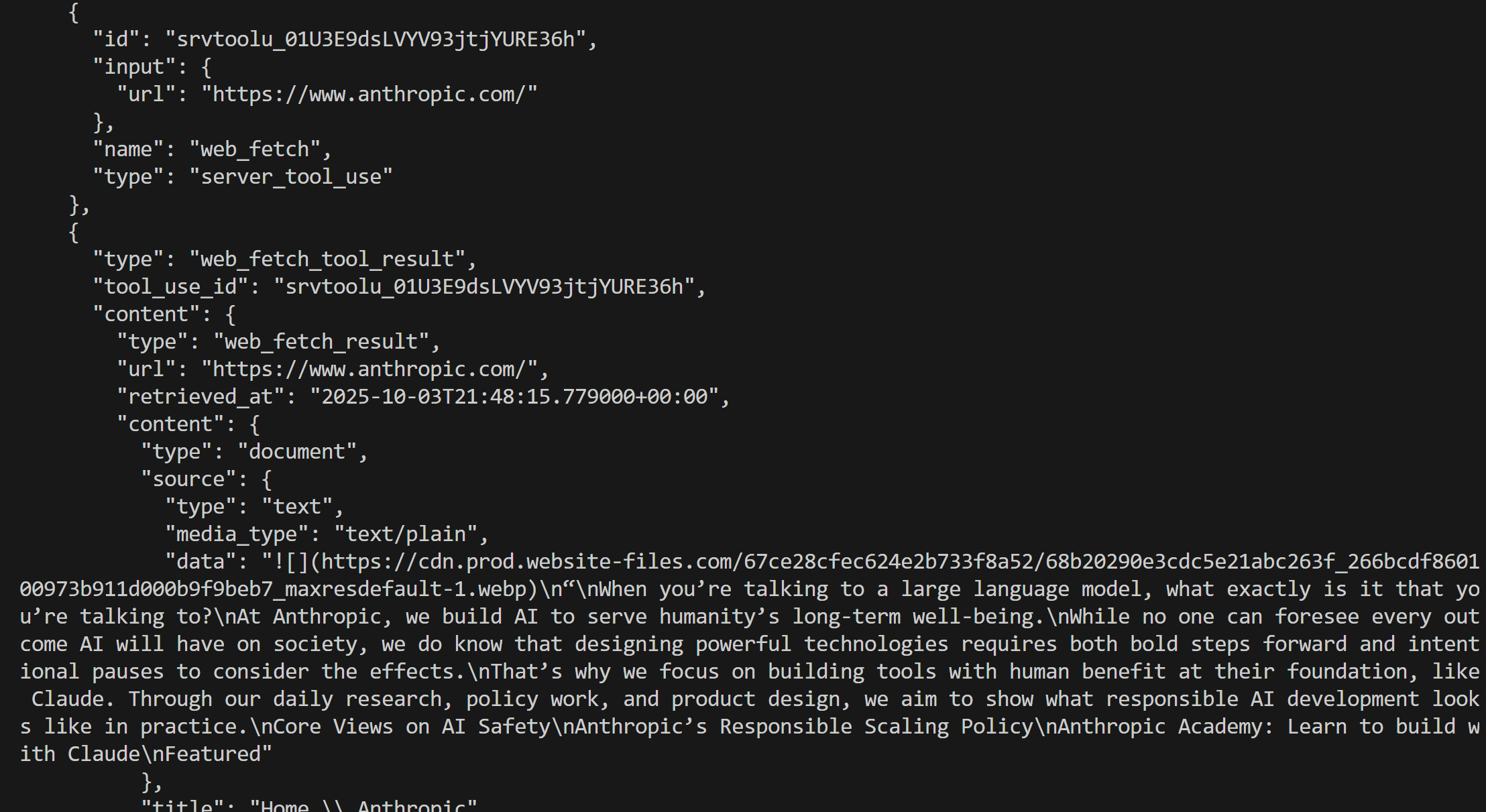
很好!这等同于我们之前看到的内容。
Bright Data 网页数据工具简介
Bright Data AI 基础设施提供一套丰富的解决方案,让你的 AI 能够自由搜索、爬取和浏览网络。这包括:
- Unlocker API:可靠地从任何公共 URL 获取内容,自动绕过封锁并解决 CAPTCHA。
- Crawl API:轻松爬取并提取整个网站,并以适用于 LLM 的格式输出,以实现有效推理和分析。
- 搜索引擎 API:收集实时、特定地理位置的搜索引擎结果,以发现与特定查询相关的数据源。
- Browser API:使你的 AI 能够与动态网站交互,并使用远程隐身浏览器大规模自动化代理式工作流。
在 Bright Data 基础设施中用于网页数据检索的众多工具、服务和产品中,我们将重点关注 Web MCP。它提供基于 Bright Data 产品构建、可用于 AI 集成的工具,可与 Anthropic 提供的工具直接比较。请注意,Web MCP 也可作为 Claude MCP 使用,与任何 Anthropic 模型完全集成。
在60+ 个可用工具中,scrape_as_markdown 工具是用于比较的完美匹配。它允许你使用高级内容提取选项爬虫单个网页 URL,并以 Markdown 格式返回结果。该工具可以访问任何网页,即使是使用机器人检测或 CAPTCHA 的网页。
重要的是,即使在免费层级中,该工具也可在 Web MCP 上使用,这意味着你可以免费使用它。因此,它实现了与 Anthropic 网页获取工具类似的网页数据检索功能,使 Web MCP 非常适合进行直接比较。
Anthropic 网页获取工具 vs Bright Data 网页数据工具
在本节中,我们将构建一个流程,用于比较 Anthropic 网页获取工具与 Bright Data 的网页数据工具。具体来说,我们将:
- 通过 Anthropic Python API 库使用网页获取工具。
- 使用 LangChain MCP 适配器连接到 Bright Data 的 Web MCP(但任何其他受支持的集成也可以)。
我们将使用相同的提示词和 Claude 模型,在以下四个输入 URL 上运行这两种方法:
"https://www.anthropic.com/""https://www.g2.com/products/bright-data/reviews""https://www.amazon.com/Owala-FreeSip-Insulated-Stainless-BPA-Free/dp/B0BZYCJK89/""https://it.linkedin.com/in/antonello-zanini"
这些代表了你可能希望 AI 自动从中获取内容的真实页面的良好组合:一个网站主页、一个 G2 产品页面、一个 Amazon 产品页面,以及一个公开的 LinkedIn 个人资料。请注意,由于 Cloudflare 保护,G2 的爬虫难度出了名地高,这也是它被有意纳入比较的原因。
让我们看看这两个工具的表现!
前提条件
在继续本节之前,你应该具备:
- 本地已安装 Python。
- 一个 Anthropic API 密钥。
- 一个带有 API 密钥的 Bright Data 账户。
要设置 Bright Data 账户并生成你的 API 密钥,请遵循官方指南。还建议查看官方 Web MCP 文档。
此外,了解 LangChain 集成如何工作以及熟悉 Web MCP 提供的工具会很有帮助。
网页获取工具集成脚本
要通过所选输入 URL 运行 Anthropic 网页获取工具,你可以编写如下 Python 逻辑:
# pip install anthropic
import anthropic
Replace it with your Anthropic API key
ANTHROPIC_API_KEY = ""
Initialize the Anthropic API client
client = anthropic.Anthropic(api_key=ANTHROPIC_API_KEY)
def scrape_content_with_anthropic_web_fetch_tool(url):

    return client.messages.create(        model="claude-sonnet-4-5-20260929",
        max_tokens=1024,
        messages=[
            {
                "role": "user",
                "content": f"Scrape the content from '{url}'"
            }
        ],
        tools=[
            {
                "type": "web_fetch_20260910",
                "name": "web_fetch",
                "max_uses": 5
            },
        ],
        extra_headers={
            "anthropic-beta": "web-fetch-2026-09-10"
        }
    )
接下来,你可以像这样在输入 URL 上调用此函数:
scrape_content_with_anthropic_web_fetch_tool("https://www.anthropic.com/")Bright Data 网页数据工具集成脚本
Web MCP 可以与广泛的技术集成,如我们博客中所述。在这里,我们将演示与 LangChain 的集成,因为它是最简单且最受欢迎的选项之一。
在开始之前,建议查看指南:“LangChain MCP 适配器与 Bright Data 的 Web MCP。”
在这种情况下,你最终应该得到如下 Python 代码片段:
# pip install "langchain[anthropic]" langchain-mcp-adapters langgraph

import asyncio
from langchain_anthropic import ChatAnthropic
from mcp import ClientSession, StdioServerParameters
from mcp.client.stdio import stdio_client
from langchain_mcp_adapters.tools import load_mcp_tools
from langgraph.prebuilt import create_react_agent
import json

# Replace with your API keys
ANTHROPIC_API_KEY = "<YOUR_ANTHROPIC_API_KEY>"
BRIGHT_DATA_API_KEY = "<YOUR_BRIGHT_DATA_API_KEY>"

async def scrape_content_with_bright_data_web_mcp_tools(agent, url):
    # Agent task description
    input_prompt = f"Scrape the content from '{url}'"

    # Execute the request in the agent, stream the response, and return it as a string
    output = []
    async for step in agent.astream({"messages": [input_prompt]}, stream_mode="values"):
        content = step["messages"][-1].content
        if isinstance(content, list):
            output.append(json.dumps(content))
        else:
            output.append(content)

    return "".join(output)

async def main():
    # Initialize the LLM engine
    llm = ChatAnthropic(
        model="claude-sonnet-4-5-20260929",
        api_key=ANTHROPIC_API_KEY
    )

    # Configuration to connect to a local Bright Data Web MCP server instance
    server_params = StdioServerParameters(
        command="npx",
        args=["-y", "@brightdata/mcp"],
        env={
            "API_TOKEN": BRIGHT_DATA_API_KEY,
            "PRO_MODE": "false" # Optionally set to "true" for Pro mode
        }
    )

    # Connect to the MCP server
    async with stdio_client(server_params) as (read, write):
        async with ClientSession(read, write) as session:
            # Initialize the MCP client session
            await session.initialize()

            # Get the Web MCP tools
            tools = await load_mcp_tools(session)

            # Create the ReAct agent with Web MCP integration
            agent = create_react_agent(llm, tools)

            # scrape_content_with_bright_data_web_mcp_tools(agent, "https://www.anthropic.com/")

if __name__ == "__main__":
    asyncio.run(main())
这定义了一个 ReAct 代理,它可以访问 Web MCP 工具。
请记住:Web MCP 提供一个 Pro 模式,可访问高级工具。在这种情况下,使用 Pro 模式并非严格必需。因此,你可以仅依赖免费层级中可用的工具。免费工具包括 scrape_as_markdown,这对于该基准测试已经足够。
简单来说,从成本角度看,在免费模式下使用 Web MCP 不会比 Claude 模型本身的 token 使用费用更高(这在两种场景中是相同的)。本质上,此设置的成本结构与通过 API 直接连接到 Claude 时相同。
基准测试结果
现在,使用如下逻辑执行代表两种 AI 网页数据检索方法的两个函数:
# Where to store the benchmark results
benchmark_results = []

# The input URLs to test the two approaches against
urls = [
    "https://www.anthropic.com/",
    "https://www.g2.com/products/bright-data/reviews",
    "https://www.amazon.com/Owala-FreeSip-Insulated-Stainless-BPA-Free/dp/B0BZYCJK89/",
    "https://it.linkedin.com/in/antonello-zanini"
]

# Test each URL
for url in urls:
    print(f"Testing the two approaches on the following URL: {url}")

    anthropic_start_time = time.time()
    anthropic_response = scrape_content_with_anthropic_web_fetch_tool(url)
    anthropic_end_time = time.time()

    bright_data_start_time = time.time()
    bright_data_response = await scrape_content_with_bright_data_web_mcp_tools(agent, url)
    bright_data_end_time = time.time()

    benchmark_entry = {
        "url": url,
        "anthropic": {
            "execution_time": anthropic_end_time - anthropic_start_time,
            "output": anthropic_response.to_json()
        },
        "bright_data": {
            "execution_time": bright_data_end_time - bright_data_start_time,
            "output": bright_data_response
        }
    }
    benchmark_results.append(benchmark_entry)

# Export the benchmark data
with open("benchmark_results.json", "w", encoding="utf-8") as f:
    json.dump(benchmark_results, f, ensure_ascii=False, indent=4)
结果可以总结在下表中:
| Anthropic 网页获取工具 | Bright Data 网页数据工具 | |
|---|---|---|
| Anthropic 主页 | ✔️(部分文本信息) | ✔️(Markdown 中的完整信息) |
| G2 评论页面 | ❌(工具在约 10 秒后失败) | ✔️(页面的完整 Markdown 版本) |
| Amazon 产品页面 | ✔️(部分文本信息) | ✔️(页面的完整 Markdown 版本,或 Pro 模式下的结构化 JSON 产品数据) |
| LinkedIn 个人资料页面 | ❌(工具立即失败) | ✔️(页面的完整 Markdown 版本,或 Pro 模式下的结构化 JSON 个人资料数据) |
如你所见,Anthropic 网页获取工具不仅不如 Bright Data 网页数据工具有效,而且即使它能工作,生成的结果也不够完整。
Anthropic 工具主要关注文本,而像 scrape_as_markdown 这样的 Web MCP 工具会返回页面的完整 Markdown 版本。此外,使用诸如 web_data_amazon_product 这样的 Pro 工具,你可以从 Amazon 等热门网站获取结构化数据馈送。
总体而言,在准确性和执行时间方面,Bright Data 网页数据工具都是明显的赢家!
总结:比较表
| Anthropic 网页获取工具 | Bright Data 网页数据工具 | |
|---|---|---|
| 内容类型 | 网页、PDF | 网页 |
| 能力 | 文本提取 | 内容提取、网页爬虫、网页爬取等 |
| 输出 | 主要是纯文本 | Markdown、JSON 和其他适用于 LLM 的格式 |
| 模型集成 | 仅适用于特定 Claude 模型 | 与任何 LLM 和超过 70 种技术完全集成 |
| 对 JavaScript 渲染网站的支持 | ❌ | ✔️ |
| 反机器人绕过/CAPTCHA 处理 | ❌ | ✔️ |
| 稳健性 | Beta | 生产就绪 |
| 对批量请求的支持 | ✔️ | ✔️ |
| 代理集成 | 仅在 Claude 解决方案中 | ✔️(在任何支持 MCP 或官方 Bright Data 工具的 AI 代理构建解决方案中) |
| 可靠性和完整性 | 部分内容;可能在复杂页面上失败 | 完整内容提取;可处理复杂网站和带机器人保护的页面 |
| 成本 | 仅标准 token 使用量 | 免费模式下仅标准 token 使用量;Pro 模式下有额外成本 |
如需将 Web MCP 与 Anthropic 技术和 Claude 模型集成,请参考以下指南:
- 将 Claude Code 与 Bright Data 的 Web MCP 集成
- 使用 Claude 进行网页爬虫:Python 中的 AI 驱动解析
- 如何在 Claude Desktop 中将 Bright Data 与 Pica MCP 配合使用
结论
在这篇比较博客文章中,你看到了 Anthropic 网页获取工具与 Bright Data 提供的网页数据检索和交互能力的对比。特别是,你学习了如何在真实示例中使用 Anthropic 工具,随后使用与 Bright Data 的 Web MCP交互的等效 LangChain 代理进行了基准比较。
明显的赢家是 Bright Data 的工具,其中包括一系列适用于 AI 的产品和服务,能够支持各种各样的用例和场景。
立即免费创建 Bright Data 账户,开始探索我们面向 AI 的网页数据工具!



技术写作
 5.5 years experience
Antonello是一名软件工程师,但他更喜欢称自己为技术传教士。通过写作传播知识是他的使命。